Plex
Use this guide to connect Plex Live TV & DVR to Headendarr using HDHomeRun tuner emulation and XMLTV guide data.
HLS Proxy Remux Limitation
Plex Live TV/DVR can have playback issues with HLS (.m3u8) channel streams.
For best compatibility, make sure Plex receives MPEG-TS (.ts) streams for those channels.
For Plex, the recommended workarounds are:
- Option #1 (most reliable): Enable Route playlists & HDHomeRun through TVHeadend in Application Settings. Ensure TVHeadend Settings has an FFmpeg stream buffer enabled, for example:
-hide_banner -loglevel error -probesize 10M -analyzeduration 0 -fpsprobesize 0 -i [URL] -c copy -metadata service_name=[SERVICE_NAME] -f mpegts pipe:1
- Option #2: Enable Use HLS Proxy and Enable FFmpeg remux on the source in Stream Source Settings so HLS sources are remuxed to MPEG-TS.
- Navigate to the Live TV & DVR page in Plex.
- Click Set Up Plex Tuner.

-
Click Don't see your HDHomeRun device? Enter its network address manually to enter the address manually.
-
Copy one of the HDHomeRun Tuner Emulators URLs from the Show Connection Details dropdown in Headendarr and paste it into the HDHOMERUN DEVICE ADDRESS field.
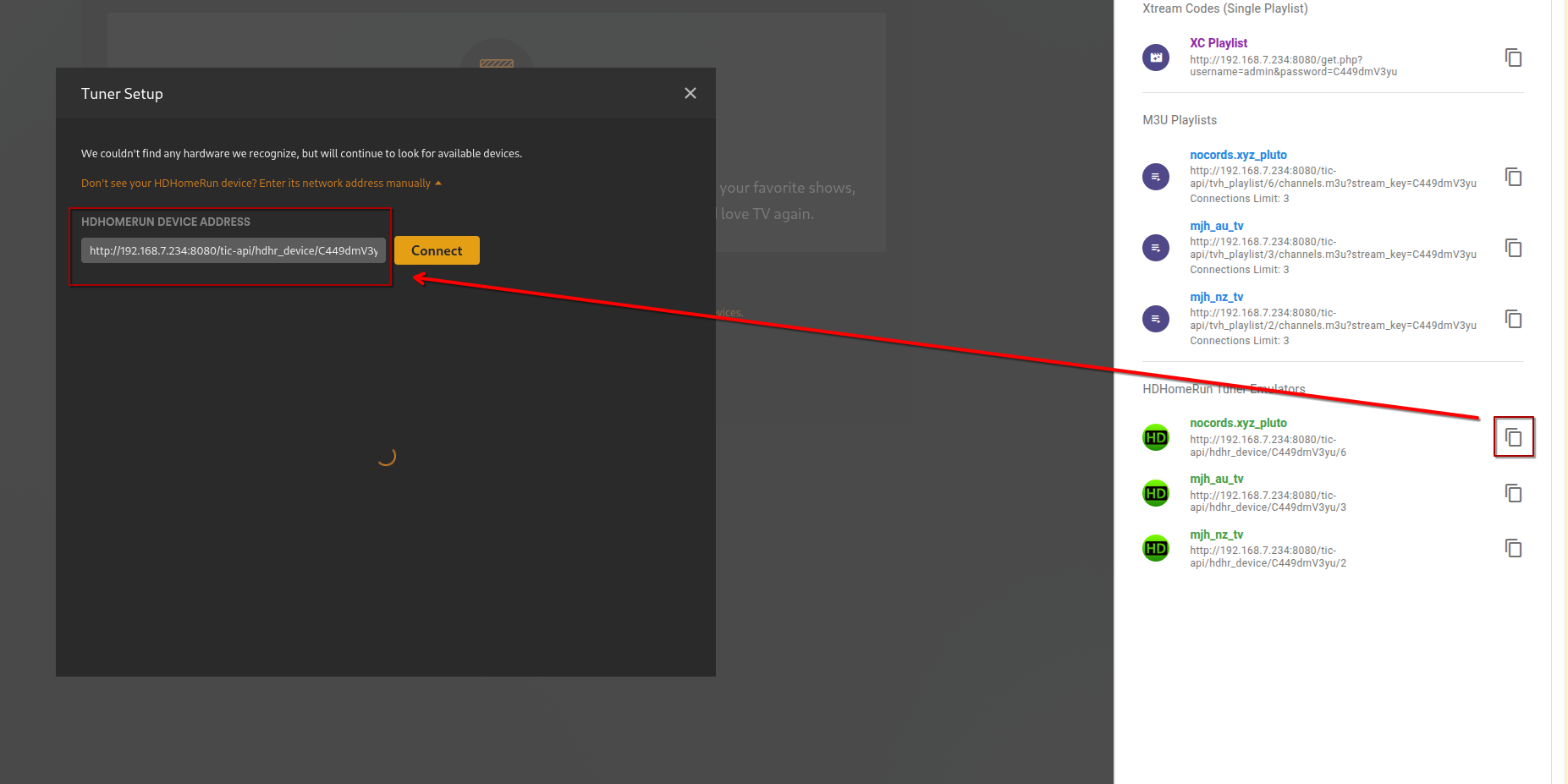
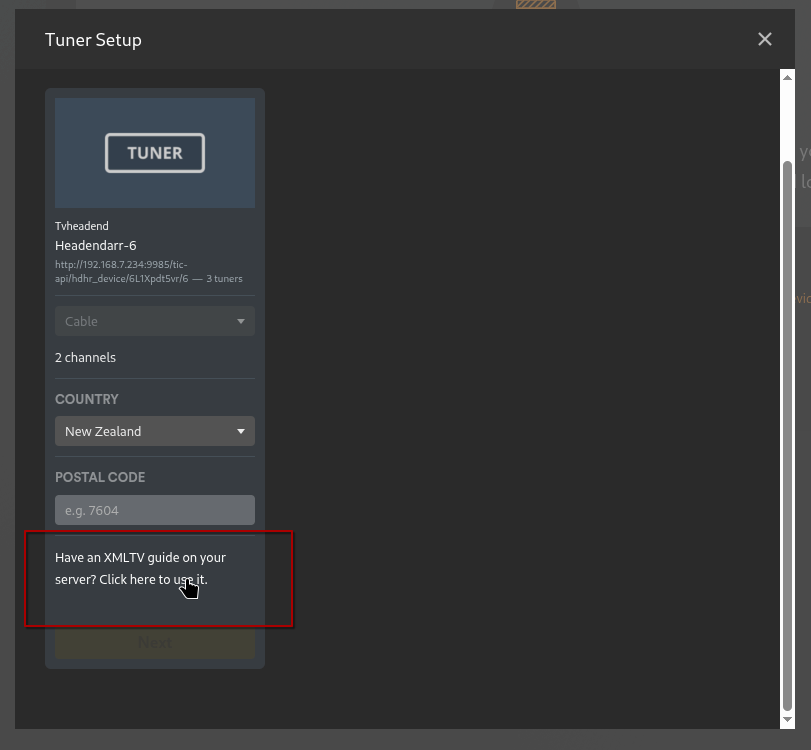
- Click Connect. You should now see your tuner with its details and available tuners.
- Click Have an XMLTV guide on your server? Click here to use it.
- Copy the XMLTV Guide URL from the Show Connection Details dropdown in Headendarr and paste it into the XMLTV GUIDE field.
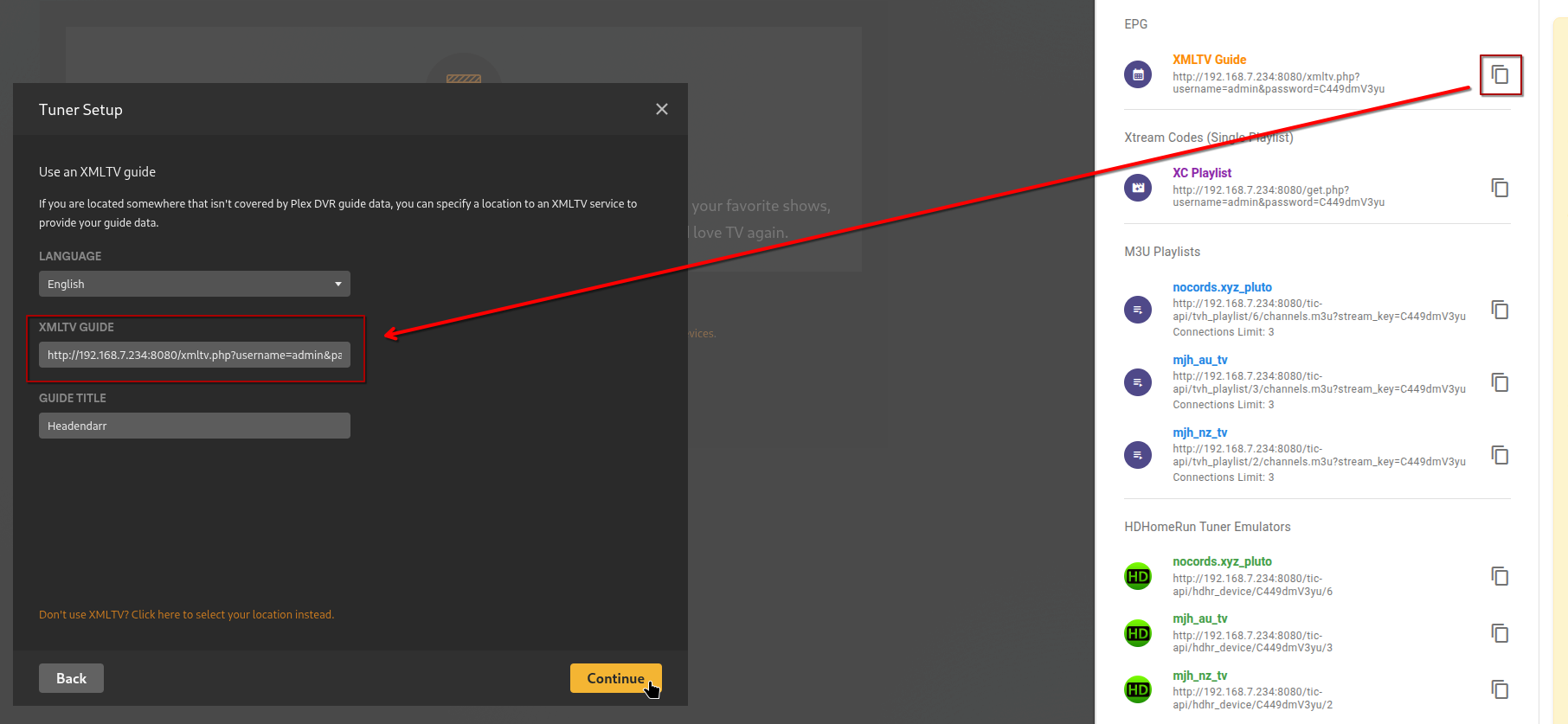
- Click Continue. You will see a list of tuner channels and a list of EPG channels. Confirm they are paired correctly.
- Click Continue again. Live TV should now be set up and connected to Headendarr.
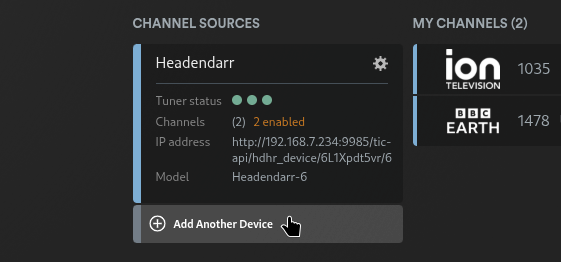
- Click Add Another Device and repeat for each HDHomeRun tuner source. Each source should enforce its own connection limits in Plex Live TV & DVR.